

ConfettiEdits
Encode your spec editing decisions once. Apply them to every project. Nothing leaves your machine.
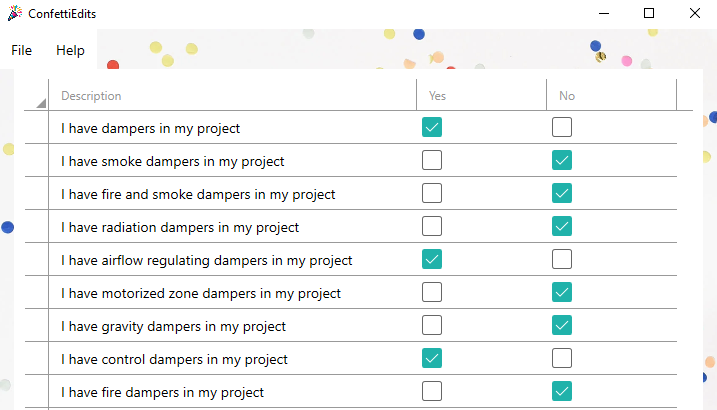
ConfettiEdits is a Windows desktop app that turns your master specifications into guided yes/no questionnaires. Answer the questions for a project, and it marks what stays and what goes — the same way, every time.
The Work you’re Actually Doing
Every project spec starts the same way: open the master, walk through the brackets and paragraphs, and decide what applies. Which products are included. Which tests and submittals apply. Most of those decisions repeat from project to project — but someone still has to make them by hand, section by section, every time.
However your firm handles that work — an engineer or architect doing it themselves, a junior working through it and asking questions, a consultant repeating it across a dozen clients — the editing itself is the same: recurring judgment calls applied to the same master, over and over.
Content libraries give you the words. ConfettiEdits handles the decisions about which words stay. It captures your judgment calls once, in your own master specs, and applies them on every project after that.
How It Works
1. Tag once. A senior specifier opens the master spec in Word and uses the ConfettiEdits add-in to tag content that varies by project — a material, a product type, a submittal requirement, whatever the decision point actually is. Every bracket in a section can be tagged in one click. This takes about 10 minutes per section, and it only happens once.
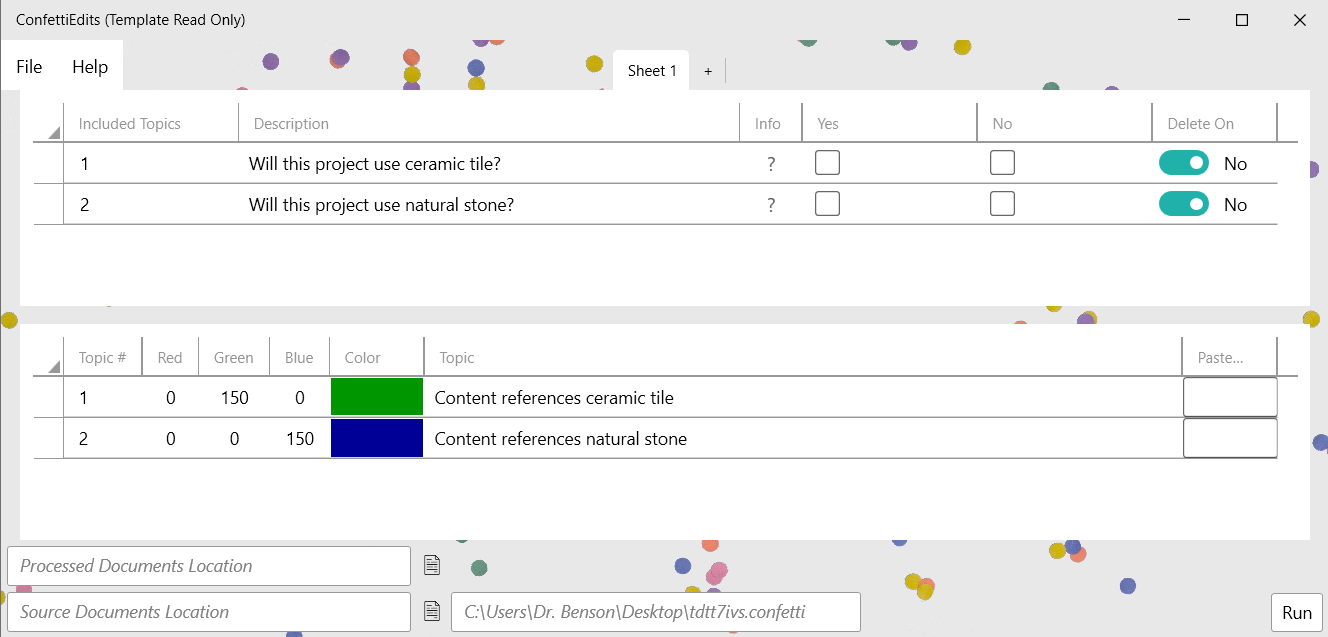
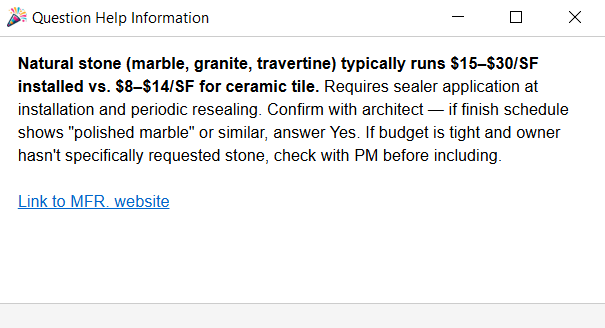
2. Build the questionnaire. ConfettiEdits imports the tags and drafts a questionnaire that follows the structure of the spec, linking each yes/no question to its tagged content. Broad questions sit above specific ones, so one “No” clears an entire product article and everything under it. The author can attach notes to any question — the reasoning, the code reference, the cost implication — so the logic travels with the template.
3. Answer and run. For a new project, anyone on the team opens the questionnaire and answers yes or no for each item. Each question can show the spec text it controls, so nobody needs Word open to decide. Pick the sections to process, click Run, and ConfettiEdits edits all of them in one pass.
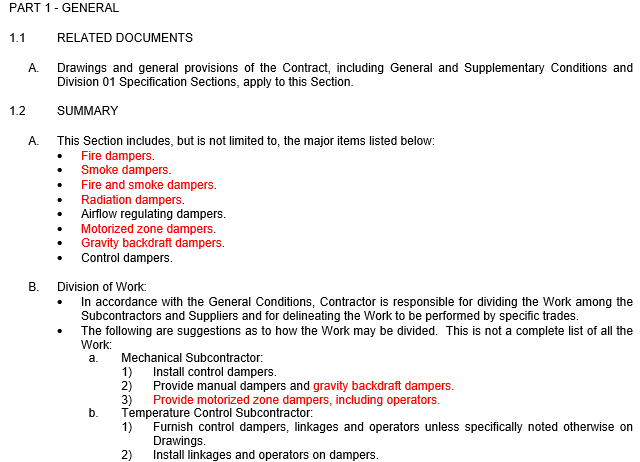
4. Review in Word. The output is a standard Word document with every deletion as a tracked change, authored “ConfettiEdits.” Nothing is gone until you accept it — review in Word’s Review tab, accept or reject, and deliver. Nothing new to learn for review — it’s just Word.
Who It’s For
ConfettiEdits is built for anyone who maintains master specifications and customizes them per project — across any CSI division.
Independent consultants and small practices. You make the same edits across many clients and projects. Templates keep your process consistent and cut the repetitive pass through each section, without adding staff or software overhead.
Firms with junior specifiers. Instead of a junior guessing — or interrupting a senior for every bracket — the questionnaire walks them through the decisions, with the senior’s reasoning attached. They produce correct output and learn the firm’s logic at the same time.
Firms with concentrated expertise. When decades of specification judgment sit with one or two people, ConfettiEdits gives them a way to write it down in a form the rest of the firm can actually use — questionnaires, not binders.
If your projects start with someone reading through a master and deciding what to delete, ConfettiEdits automates that step.
Why ConfettiEdits?
Deterministic and auditable. The same answers produce the same output, every time, on every machine. No AI, no probabilistic behavior, no surprises.
Your documents never leave your machine. ConfettiEdits is a desktop application. Your master specs and project output stay local. No Cloud. The app transmits license validation, update checks, and anonymous crash reports — no document content, ever.
Works with the masters you already have. ConfettiEdits operates directly on Word documents — whatever your firm’s master specs are, and wherever they came from. Output is a normal Word file with deletions as tracked changes, reviewed the way you already review. No new editing environment, no export step, no content to migrate.
Priced for the job it does. ConfettiEdits is $50 per user per month. It isn’t a content library and doesn’t try to be — it does the customization pass that eats hours on every project, and it’s priced for that job.
See It Work
The walkthrough shows the full cycle — tagging a section, building the questionnaire, and running a project — in a few minutes.